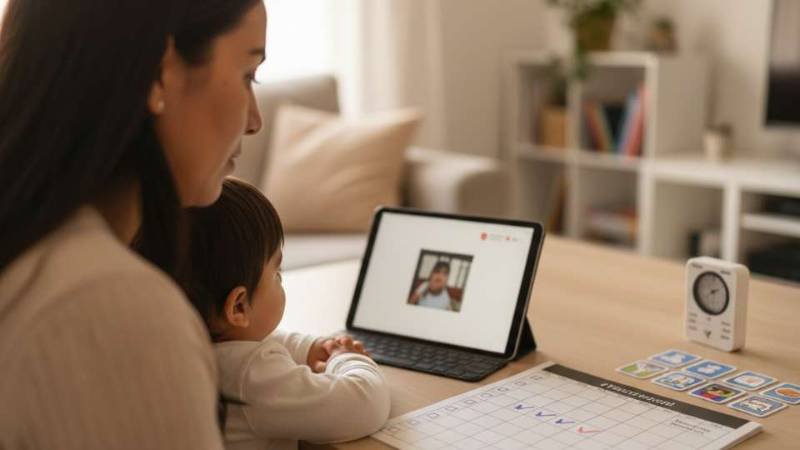
There are children who, when you talk to them, walk away. But when you put on a video… they stay.
And that fact, instead of scaring us, should be read for what it is: a door .
Not because "the screen is hypnotic", but because the video reduces noise :
- fewer variables at once
- less social pressure
- less unpredictability
- More shameless repetition
For many children with Down syndrome (and also with other developmental difficulties), that's not a "whim": it's access .
In this article I explain how to use that door with intention, without guilt and without falling into the "either screen or real life" trap.
1) The screen doesn't teach on its own... but it can prepare the way for learning
When a child gets hooked on a video, something important usually happens: their brain can organize itself .
Instead of having to process your face, your tone, the ambient noise, and the message all at the same time, the video gives a more stable message.
This allows:
- look without pressure
- pause inside
- anticipate what's coming
- Repeat without feeling evaluated
And that's where the opportunity arises: if the video is well chosen and well used, it can become a bridge to real life .
2) What is video modeling (explained simply)
Video modeling is a strategy where the child learns by watching someone do exactly what we want him to learn.
Could be:
- a gesture (greeting, pointing)
- a function word (more, help, pause)
- a routine (washing hands, putting on shoes)
- a game (turns, imitation)
It works because it turns the abstract into something:
- concrete (it can be seen)
- repeatable (can be watched again)
- copyable (can be imitated)
In Down syndrome, this is often especially helpful when the difficulty lies not in "being able", but in sustaining the sequence and organizing the action .
3) The golden rule: video does not replace life, it prepares for it
The most effective use is not "just put the video in and that's it".
This is it:
- You see 30–60 seconds
- Pause
- You say a short phrase: “Now you with me”
- You do it in real life (2–3 attempts)
- You close successfully (even if it's small)
This is key because the goal is not for the child to "look well." The goal is for the child to use what they have learned.
4) Mini practical guide: how to get started at home in 10 minutes
If you're in "I don't know where to start" mode, use this structure.
Step 1: Choose 1 functional goal (not 5)
Good examples to get started:
- ask for more
- ask for help
- request a pause
- Follow one instruction: “give me / put / open”
Step 2: Define the time of day
Better if it's predictable:
- snack
- bathroom
- short game
- before leaving
Step 3: Short video + immediate bridge
- video 30–60 s
- “Now you with me”
- 2 attempts
- reinforcement (smile, applause, bubble, small snack)
Step 4: Repeat for 5 consecutive days
You don't need an hour. You need a short dose + repetition + calm .
5) Common errors (so that the screen doesn't become a problem)
- Using video as a "firefighter" all day long → video ceases to be a bridge.
- Long videos → better micro-videos with a focus.
- Talking too much while looking → fewer words, more signal.
- Not taking it to real life → without a bridge, there is no generalization.
Quick checklist
- I chose 1 functional goal
- I use short videos (30–60 s)
- I say "Now you with me" and I take it to real life
- I make 2-3 attempts and close successfully
- I repeat this several days in a row
If you want to use the screen as a learning tool (and not a daily struggle), you can try VICON free for 7 days by downloading the app: